How to Use the Trading Post in WoW Retail
Collect Trader’s Tender, earn more through the Traveler’s Log, and freeze one cosmetic to buy in a later month.
 Trading PostArt: Blizzard Entertainment
Visit a Trading Post in World of Warcraft Retail, collect any available Trader's Tender, and inspect the current cosmetic stock. Open the Traveler's Log for activities that can earn more Tender and advance the monthly reward. If you want an item you can't buy now, use the freeze slot to keep that offer available for a later month.
Find a Trading Post and check your Tender
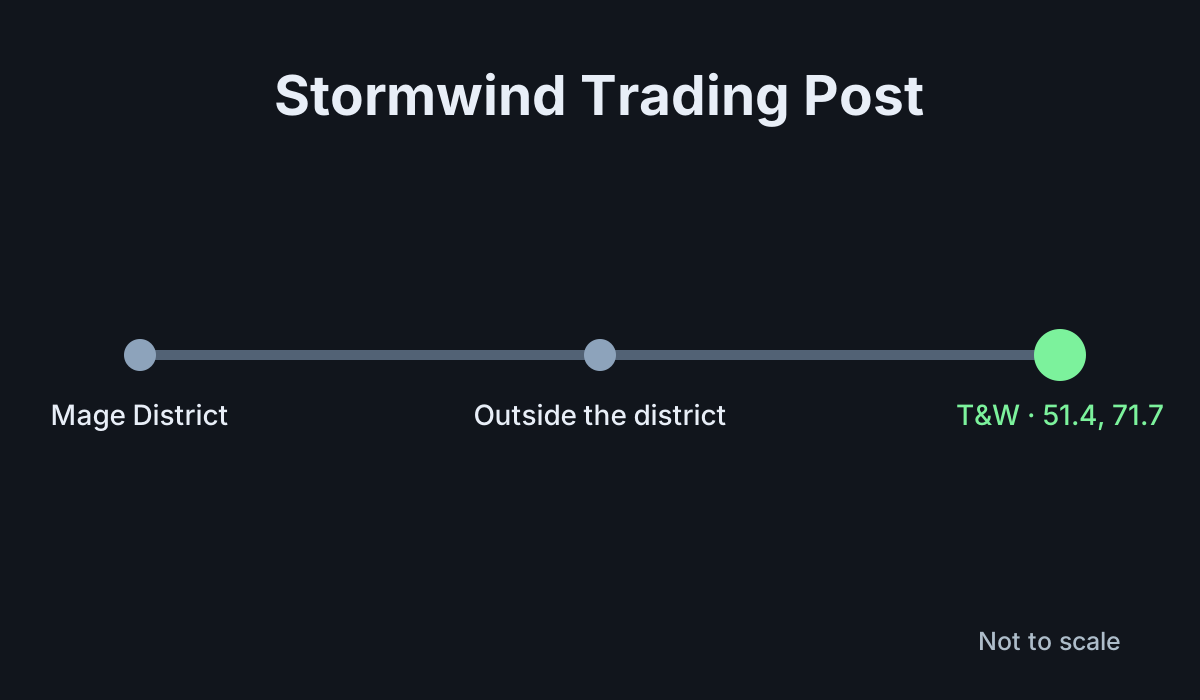
- Visit a Trading Post in one of the supported capitals. In Stormwind City, look for Tawney and Wilder just outside the Mage District at
/way 51.4 71.7 Trading Post. - Check the Collector's Cache for Tender you are eligible to collect. Then open the vendor's inventory.
- Read the current balance and the price of the items you're considering. Preview each cosmetic before buying.
- Open the Traveler's Log if you need more Tender or want to see the month's progress reward.
Horde players can visit Zen'shiri near Grommash Hold in Orgrimmar. Blizzard also lists representatives in Dornogal and Silvermoon City. Pick the location convenient for the character you're already playing. You don't need to visit every location to review the monthly offering.
Pick Traveler's Log activities you already want to do
The Traveler's Log lists eligible activities for the month. Open it from the Adventure Guide and read the progress or activity requirements. Look for tasks that match your plans. If you are already going to run dungeons or take part in an event, check whether the log has a related activity before choosing a separate task.
Complete an eligible activity and check the progress bar afterward. Read the reward milestones and collect what becomes available through the Trading Post system. If an activity doesn't count, check the exact version, location, or conditions in the log. Similar activities can have different eligibility.
The monthly progress reward is a separate goal from buying a vendor item with Tender. Decide whether you want the progress reward, a particular purchase, or both. That makes it easier to choose how much of the activity list you want to complete.
Buy a cosmetic or freeze it for later
Preview the item and confirm its cost. For an appearance, look at the slot and model on a character who can use it. For a mount, pet, or toy, check the item type and whether you already own it. Buy after you've decided it is worth the Tender compared with your other choices.
If you need more Tender and the item is still available, use the vendor's freeze option. Confirm that the desired item appears in the freeze slot. A frozen offer can remain available after the normal stock changes. The freeze slot holds one offer, so inspect what is already frozen before replacing it.
For example, if two items interest you and you can buy only one this month, buy the one you want most now and freeze the other if you want to save for it. Check next month's stock and your balance before deciding when to buy the frozen item. Freezing reserves access to the offer. You still need enough Tender for the purchase.
Fix a missing reward or item
If your balance doesn't show the Tender you expected, check the Collector's Cache and your Traveler's Log. Verify whether the milestone has been reached and whether you collected its reward. Check your current balance before repeating a task.
If an item disappears from the vendor, check whether the stock rotated and whether it is in your freeze slot. If you replaced that slot with a different offer, use the current vendor list to see what remains available. If you already bought it, check the appropriate collection or your inventory for the resulting item.
Before spending, confirm the price, the preview, and which offer is frozen. A short check gives you room to save Tender for the cosmetics you actually want instead of spending it simply because the monthly stock changed.
Plan around the monthly rotation
Open the vendor again before the end of the month if you are still deciding. Check which items you bought, which offer is frozen, and how much Tender you want to save. Compare the cost of your next purchase with your remaining balance. A decision to keep Tender for a future month can be useful even if you finished every activity you intended to do this month.
More World of Warcraft guides
-
Pet BattlesArt: Blizzard Entertainment
How to Start Pet Battles in WoW Retail11 Nov
-
WarbandsArt: Blizzard Entertainment
How to Use Warbands in WoW Retail11 Nov
-
Art: Blizzard Entertainment
How to Transfer Warbound Gear in WoW Retail11 Nov
-
Chromie TimeArt: Blizzard Entertainment
How to Use Chromie Time in WoW Retail11 Nov
Sources
This article was written by AI (Claude) and checked against the sources above. Games are updated regularly, so details may change.